I swiped away a trade alert during last year’s draft and spent ten minutes trying to remember which team had just moved up. It was gone.
Quick answer: Android Notification History is a log of every notification your phone received in the past 24 hours, including ones you dismissed. To turn it on: open Settings, tap Notifications, tap Notification history, toggle it on. The setting is off by default and the label gives no hint that it recovers dismissed alerts. It sounds more like a usage report than a safety net.
Your phone already kept a copy
Android keeps a log of every notification you’ve received in the past 24 hours — even the ones you dismissed. It’s called Notification History, and it’s off by default.
How to turn it on
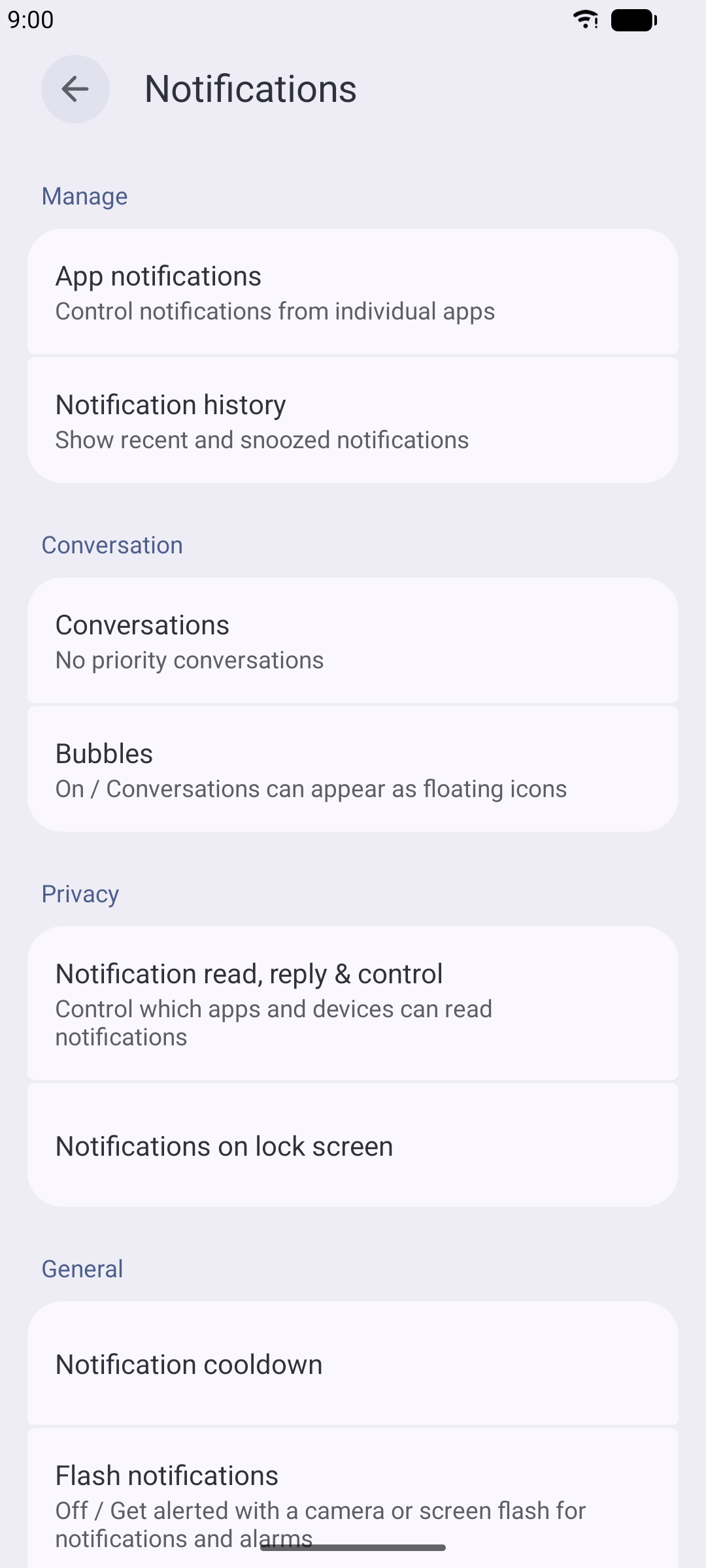
- Open Settings
- Tap Notifications
- Tap Notification history
- Toggle it on
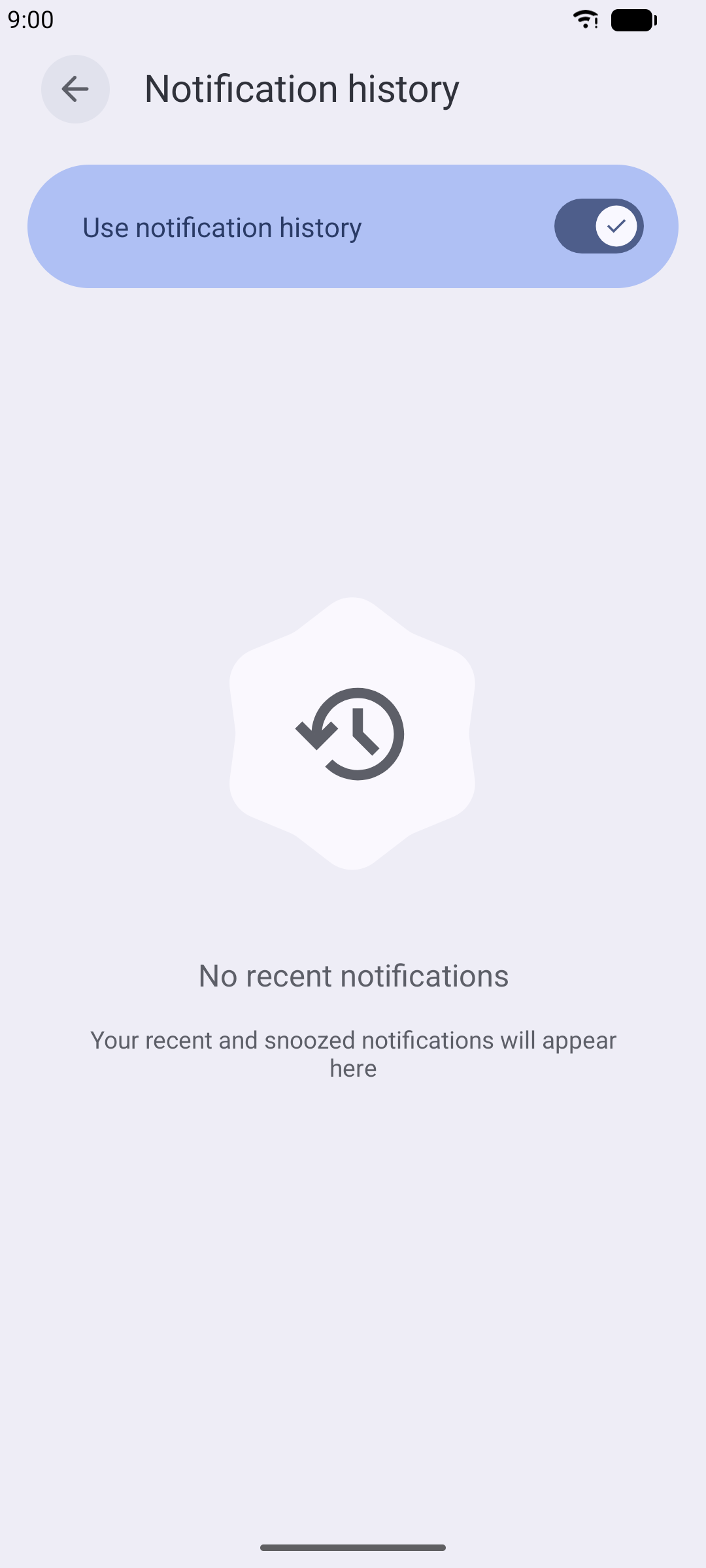
That’s it. From now on, every notification that comes through gets logged. Swipe one away by accident and you can scroll back through the full list to find it.
Why you’ve never seen it
It’s off by default, buried in Notification settings, under a label that doesn’t hint at what it actually does.
Once it’s on, you’ll find it useful beyond draft weekend — dismissed alarm reminders, swiped delivery updates, cleared messages you meant to read. It’s all there for 24 hours. And if you want to act on one later without losing it again, Android lets you snooze notifications on a timer.
The bigger picture
Your phone already records this information. It just doesn’t show you unless you opt in. Settings like this exist all over Android: useful, off by default, hidden behind a menu nobody browses. Notification history, notification dots, notification channels — all in the same Settings section, all solving different problems, all ignored. That’s why we built TrueTo. One place for the settings that actually help.
Enjoy the draft. First round’s tonight.