TrueTo sets your apps the way you want them.1 Answer a question once, and your apps follow. Inside each app, in its own setting, and reversible.
Get the highlights.

Choose who can see you’ve read their messages, in every chat app at once.

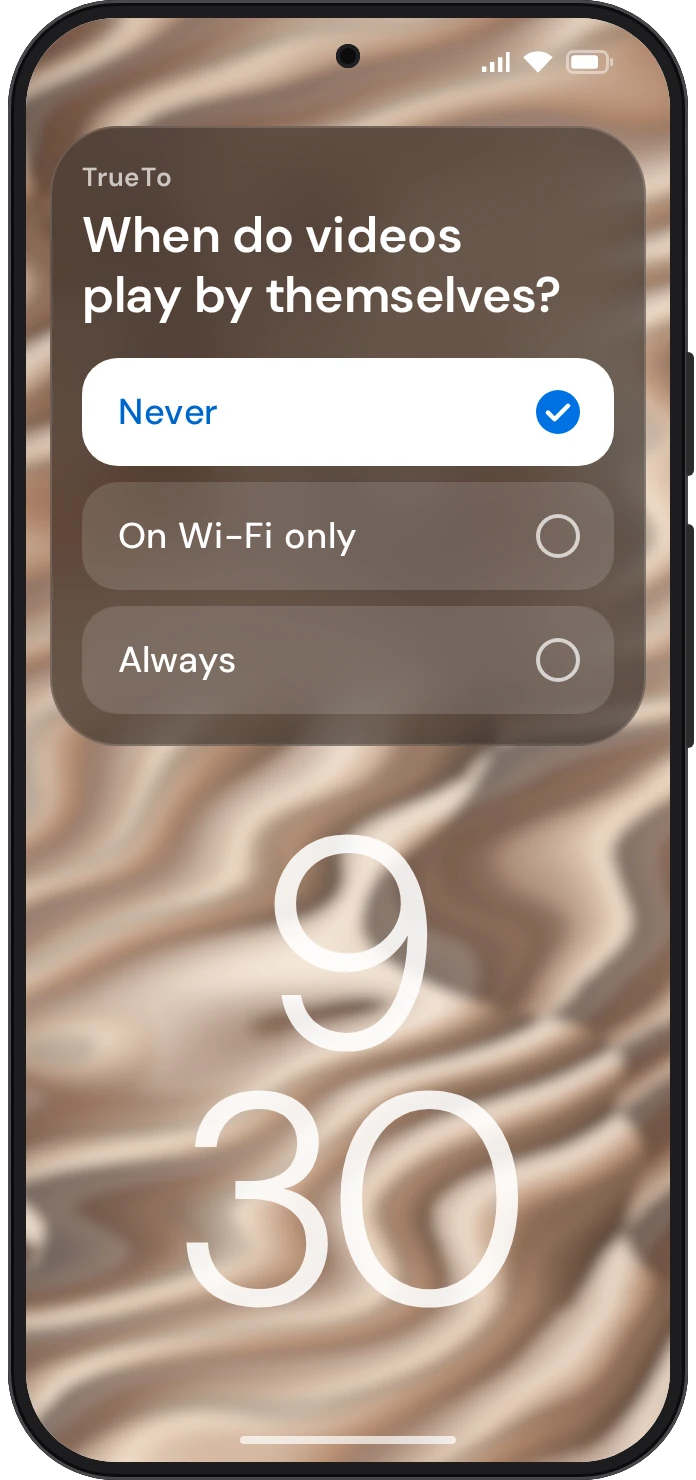
Choose when videos play by themselves, in every app at once.

Choose whether ads in every app are based on your activity or on nothing about you.

Choose who can message you, in every app at once.
What your phone does should be up to you. It’s also our core value. Which is why we built TrueTo to make every app behave the way you do. That’s what true to you means.
Your apps follow your lead. Not their own.
- Audience Audience lets you choose who sees you and who can reach you.
- Feed Feed lets you choose what plays and what comes next.
- Data Data lets you choose how much your apps know about you.
- Eyes Eyes lets you choose how your apps look.
- Notifications Notifications lets you choose what reaches you, and when.
- Sound Sound lets you choose what your apps play out loud.
- Phone Phone lets you choose what uses your battery, mobile data and storage.
- Money Money lets you choose how fast you can spend in your apps.


Privacy is part of the design.
TrueTo does its work on your phone, and no tap waits on a server. To find a setting, TrueTo reads the items on the screen it is working in. And your data is never sold or shared for advertising.
Private by design
- Only if you switch it on
- Only when you tap
- Only the apps on its list
Your people.
A kid’s phone. A parent’s phone. Set up from yours.
Questions? Answers.
What is TrueTo?
TrueTo sets your apps the way you want them. Answer a question once, and your apps follow. Inside each app, in its own setting, and reversible.
How do I get TrueTo?
You can get TrueTo on Google Play and set the apps on your phone the way you want.
Which apps does TrueTo work in?
TrueTo works in apps such as Spotify, YouTube, Instagram, Chrome and WhatsApp, and in Android’s own settings. The full list is in the app.
Is TrueTo free?
Yes. TrueTo is free during the beta.
Which phones does TrueTo work on?
TrueTo is compatible with Android 13 and later.
Do I need an account?
Yes. You sign in to TrueTo using the Google account you already have.
How does TrueTo change a setting?
TrueTo goes into each app and changes the setting the way you would. It works through Android’s Accessibility Service, the part of Android that lets one app work another for you.
Can I change a setting back?
Yes, in the app itself, and your change stays.
Does TrueTo read my messages?
No. TrueTo does not read your messages, your emails or other personal content, and it does not access your passwords. One kind of settings row is the exception. When you ask whether an app is signed in to an account, TrueTo reads the account name or email address that app shows in its own settings.
Learn more about TrueTo.
How it works
TrueTo goes into each app and changes the setting the way you would. Every one of them is reversible.
Learn more ›Privacy
No ads. Your data is never sold or shared for advertising.
Privacy policy ›Help
A question, a bug, or a setting TrueTo doesn’t cover yet. Write to us and a person answers.
Support ›