
Android settings for your parent’s phone
%20--%3e%3crect%20width='512'%20height='512'%20rx='96'%20fill='%23F3F1EC'/%3e%3c!--%20Toggle%20track%20with%20shadow%20--%3e%3cpath%20fill='%232D7C4D'%20filter='url(%23track-shadow)'%20d='M194,178%20L318,178%20A78,78,0,0,1,318,334%20L194,334%20A78,78,0,0,1,194,178%20Z'/%3e%3c!--%20Toggle%20knob%20with%20gradient%20+%20shadow%20--%3e%3ccircle%20cx='318'%20cy='256'%20r='56'%20fill='url(%23knob-fill)'%20filter='url(%23knob-shadow)'/%3e%3c/svg%3e)


Coming later
Their phone. True to them.
These are the Android settings for your parent’s phone, in the apps they already use: who can look them up, how the text on screen reads, whether a call rings out loud.
Be one of the first to get TrueTo for a parent’s phone.
TrueTo goes into each app and changes the setting the way you would. Every one of them is reversible, one at a time.
Setup
Set up their phone in seconds. We timed it.
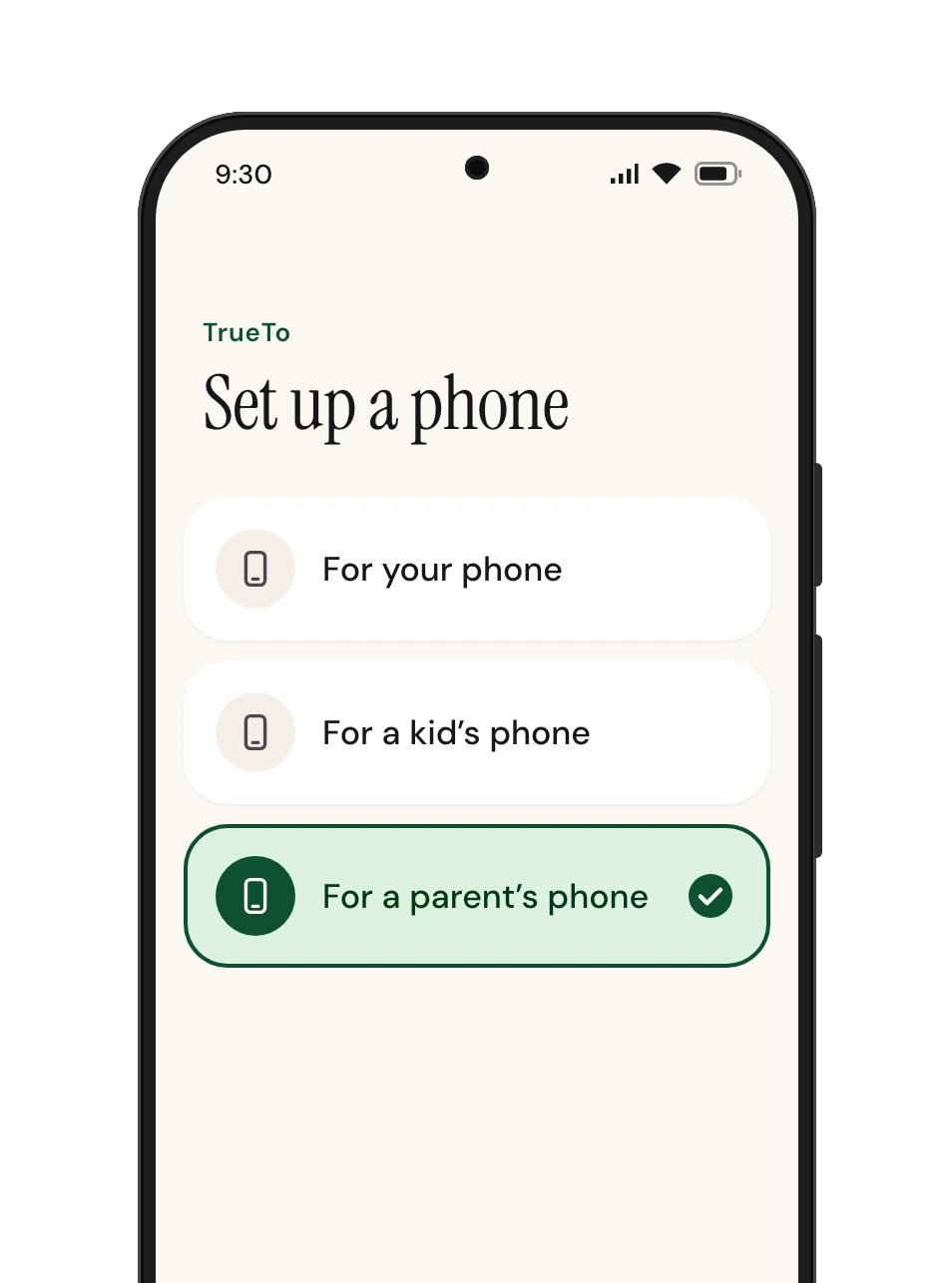
Check that TrueTo is on your phone and follow the steps below.
 Open TrueTo
 Tap For a parent’s phone
 And they’re all set
Privacy
It’s called TrueTo, not TrueToYou.
- Every setting TrueTo changes is one they can change back, in the app itself.
Audience

Fewer people can look them up, and only contacts can add them to groups.
Found by phone number or email
Friends only in Facebook. Off in LinkedIn.
Who can add them to groups
Contacts only in WhatsApp.
Data

Updates install by themselves, signing in to Google takes a second step, and ads are not personalized.
Ad personalization
Off in Amazon, eBay, Netflix, and their Google account.
Two-factor authentication
On in their Google account.
System and security updates
Automatic in Android and Google Play.
Safe Browsing
Enhanced protection in Chrome.
Threat protection
On in NordVPN and ExpressVPN.
Account recovery
Checked in their Google account.
Install unknown apps
Not allowed in Android.
Eyes

Text stands out from its background, and every website zooms with a pinch.
High-contrast text
On in Android.
Pinch zoom on every site
On in Chrome.
Notifications

YouTube stops sending them promotions.
Learn more about Notifications
Promotional notifications
Off in YouTube.
Sound

Mail, news, and WhatsApp calls make a sound when they arrive.
Notification sound
On in Gmail and Google News.
Ringtone for calls
On in WhatsApp.
Phone

A touch has to rest longer before it counts as a hold.
Touch and hold delay
Long in Android.
Get started with TrueTo for a parent’s phone.
Be one of the first to get TrueTo for a parent’s phone.
Questions? Answers.
Do they need TrueTo on their phone?
Yes. TrueTo changes the settings inside the apps on their phone, so it goes on their phone.
Can they change a setting back?
Yes, in the app itself, and their change stays.
What happens when they install a new app?
TrueTo sets the new app the same way as the rest, and they can still change it there.