
Android settings for your kid’s phone

%20--%3e%3crect%20width='512'%20height='512'%20rx='96'%20fill='%23F3F1EC'/%3e%3c!--%20Toggle%20track%20with%20shadow%20--%3e%3cpath%20fill='%232D7C4D'%20filter='url(%23track-shadow)'%20d='M194,178%20L318,178%20A78,78,0,0,1,318,334%20L194,334%20A78,78,0,0,1,194,178%20Z'/%3e%3c!--%20Toggle%20knob%20with%20gradient%20+%20shadow%20--%3e%3ccircle%20cx='318'%20cy='256'%20r='56'%20fill='url(%23knob-fill)'%20filter='url(%23knob-shadow)'/%3e%3c/svg%3e)


Coming later
Their phone. True to your family.
These are the Android settings for your kid’s phone, in the apps they already use: who can message them, what plays next, where they show up on a map.
Be one of the first to get TrueTo for a kid’s phone.
TrueTo goes into each app and changes the setting the way you would. Every one of them is reversible, one at a time.
Setup
Set up their phone in seconds. We timed it.
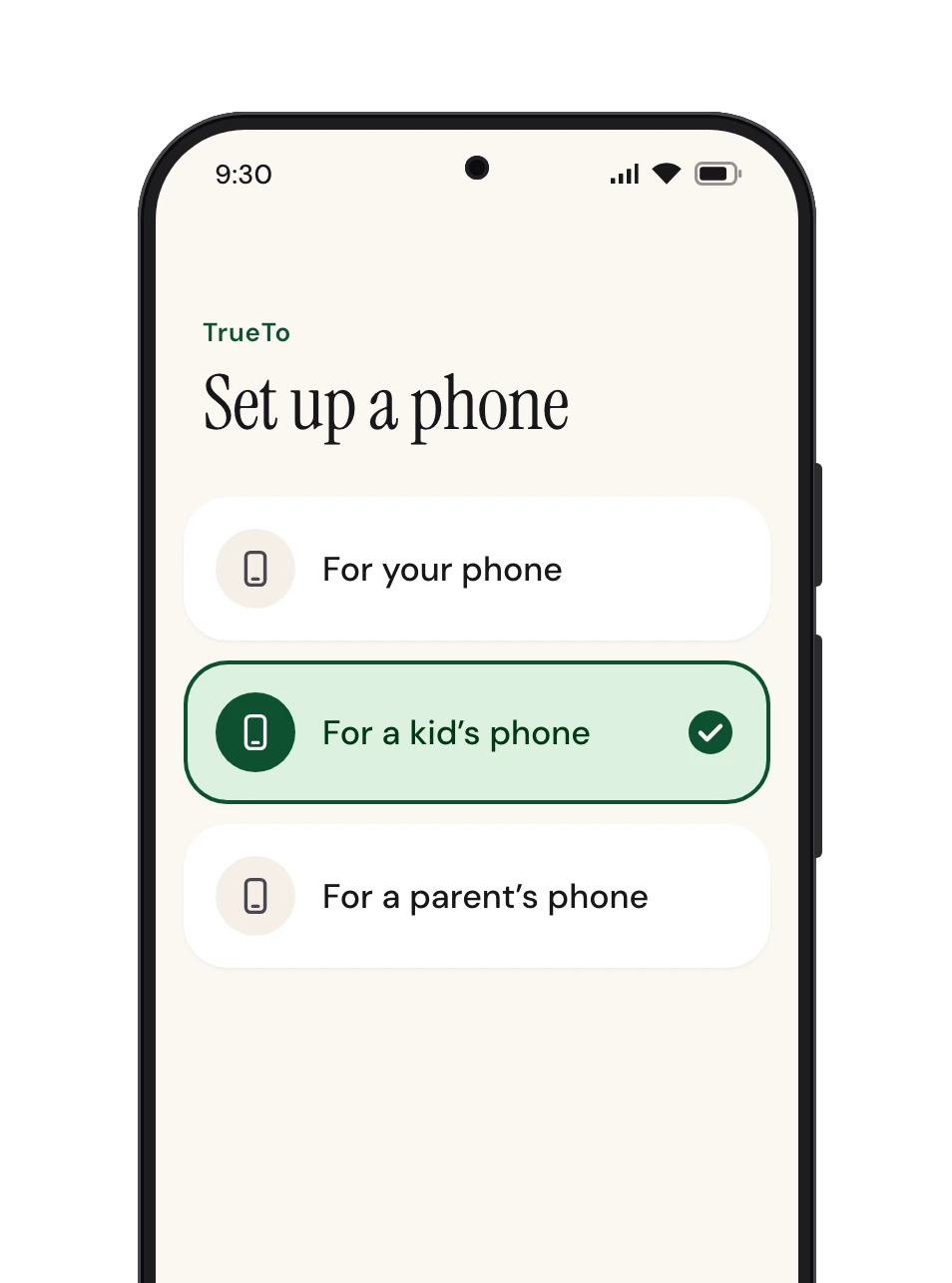
Check that TrueTo is on your phone and follow the steps below.
 Open TrueTo
 Tap For a kid’s phone
 And they’re all set
Privacy
It’s called TrueTo, not TrueToSnoop.
- TrueTo sets their settings and keeps them that way.
- What it sees on their phone stays on their phone: no messages, no photos, nothing they type.
Audience

Fewer people can find them, see them, or message them.
Private account
On in Instagram and TikTok.
Online status
Off in Instagram and TikTok. Contacts only in WhatsApp.
Who can message them
Friends only in TikTok, Roblox, and Discord.
Location shown to people
Off in Snapchat, WhatsApp, and BeReal.
Found by phone number or email
Off in X. Friends only in Facebook.
Who can call or drop in
Off in Alexa.
Suggested to other people
Off in TikTok.
Who can send friend requests
Friends of friends in Facebook.
Who can add them to groups
Contacts only in WhatsApp.
Feed

Videos start when they press play, and YouTube’s filter is on.
Autoplay video
Off in YouTube, Reddit, and X.
Sensitive content filter
On in YouTube.
Data

Location goes to an app only while it is open, and ads are not personalized.
Location access
Only while in use in Android. Off in X.
Ad personalization
Off in TikTok, Snapchat, and their Google account.
Location history
Off in their Google account.
Safe Browsing
Enhanced protection in Chrome.
Install unknown apps
Not allowed in Android.
Notifications

Get started with TrueTo for a kid’s phone.
Be one of the first to get TrueTo for a kid’s phone.
Questions? Answers.
Do they need TrueTo on their phone?
Yes. TrueTo changes the settings inside the apps on their phone, so it goes on their phone.
Can they change a setting back?
Yes, in the app itself. TrueTo then sets it back the way you set it.
What happens when they install a new app?
TrueTo sets the new app the same way as the rest.